









- One sided adhesive tapes
- Packing tapes
- Coloured - marking tapes
- Electrical tapes
- Office tapes, adhesive tapes
- Slick surface tapes
- Metal adhesive tapes
- Masking crepe tape
- Masking special tapes
- Surface protection tapes
- Foam - sealing tapes
- Anti-slip tapes
- Self-adhesive rubber cut-outs
- Special tapes
- Textile tapes
- Warning and reflective tapes
- Double-sided adhesive tapes
- Electrical insulation material
- Glues
- Flexible stoppers, bumpers
- Velcro straps
- Primers - activators - cleaners
- Accessories for adhesives, applicators
How does a printer scanner work?
Scanners are an indispensable part of the equipment of corporate or home offices. The reasons are more or less clear. Regardless of whether they are integrated into a practical multifunction printer or take the form of a stylish portable device intended for occasional use or the robust design of a desktop flatbed scanner, they always do their job 100%.
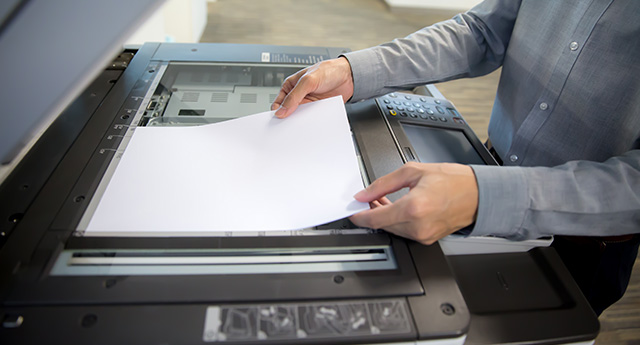
Scanners nowadays truly no longer need us to create PR for them in any way. Still, we cannot help but mention that these powerful devices, used to capture a source document with text or images and subsequently convert it into digital form, can now scan various types and sizes of media compared to the past, while taking up only a minimum of space in the office.
In addition to classic paper originals, we can safely scan, further edit, send by e-mail, or publish on websites various media of different sizes, including brochures, magazines, and books. Of course, accounting documents, credit cards, business cards, or even laminated documents, such as ID cards, driver’s licenses, or passports, are not a problem either. That is quite enough praise for current scanners, so in the following lines we would rather focus on how a printer scanner works.
Without high-quality scanning of the original, it won’t work
An important criterion for a scanner is the scanning resolution, speed, and connectivity options to a computer. However, for the result to be perfect, we cannot overlook the high-quality scanning of the original.
The basic requirement for precise scanning of the original remains uniform illumination of the document across its entire surface, but with the development of scanners, the means of achieving this have changed. While until recently the illumination of the original was usually carried out only under the direction of a cold cathode lamp (discharge lamp–fluorescent tube), scanners now widely use CIS technology, which uses highly luminous LEDs placed in a common movable head next to the sensing elements to illuminate documents.
The advantage of this solution is the aforementioned uniform illumination across the entire width of the scanned original. Scanners with CIS technology for illumination and image capture of the original also offer more compact, smaller dimensions and greater durability. Their price is also worth noting. However, it is also true that, compared with scanners equipped with cathode lamps—discharge lamps producing intense light—scanners using CIS technology illumination are characterized by somewhat lower sensitivity, which may become apparent especially when capturing subtle color shades. Of course, the optical resolution of the scanner has the greatest impact on the quality of the scanner output.
Tip: Do you know which printer resolution to choose?
Document processing and image conversion
After the document is illuminated, the CCD or CIS sensors come into play. As we have already indicated above, the sensing elements in scanners with CIS technology are located right next to the illumination diodes. The illumination and scanning mechanism thus gradually moves together across the original and scans one line after another.
The CCD sensor is, in turn, part of the classic scanner technology, which uses a combination of a fluorescent lamp and an optical system to illuminate and capture the original.However, let us return to the sensors. These scanner elements first capture the light reflected from the original in the red, green, and blue spectrum and then convert it into an electrical signal according to its intensity. It is then evaluated and, according to its intensity, converted by an analog-to-digital converter into a digital value for each color spectrum.
Pixel files are sent to the computer, where they are then arranged in the appropriate format. Scanned text or graphic files can be further edited, inserted into documents, forwarded by email, or published on websites.
Tip: What equipment besides a printer does a proper office require?